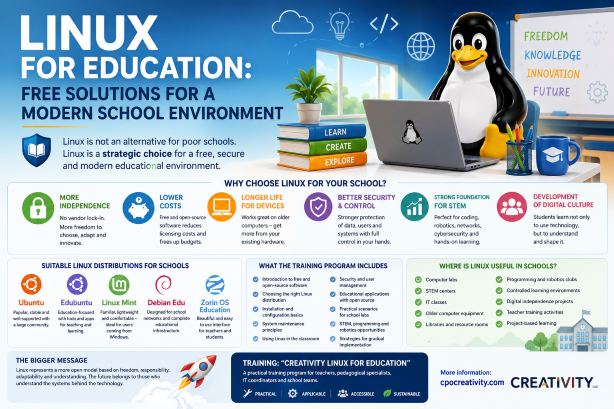
Linux for Education: Free Solutions for a Modern School Environment
The school of the future does not need only more devices. It needs a freer, more secure, and more sustainable digital environment. Linux can be one of the most reasonable foundations for this transformation.
Why is Linux in education becoming increasingly important?
In many schools, the digital environment develops unevenly. Some computer labs still rely on older devices. Different computers may run different operating systems. Software budgets are limited. Technical support is often difficult. At the same time, schools face growing requirements for data protection, cybersecurity, and reliable digital infrastructure.
Teachers are expected to work in a world where technology changes constantly. Students use cloud platforms, artificial intelligence, multimedia, interactive resources, and digital learning environments that require a stable technical foundation.
That is why the real question is no longer only: “What software can the school afford?” The more important question is: “What level of digital independence does the school want to have?”
Visual overview of the topic
The infographic summarizes the main advantages of Linux in education: freedom, security, cost efficiency, STEM readiness, suitable distributions, and practical elements of the training programme.
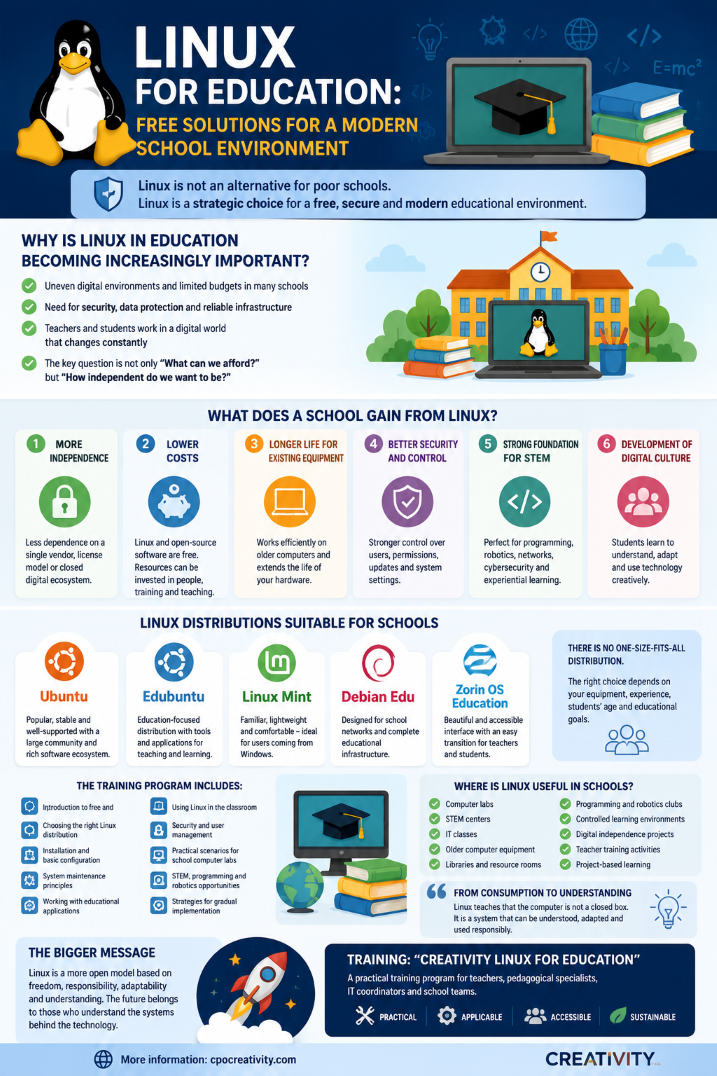
Infographic from the programme “Creativity Linux for Education”.
Linux as an educational strategy, not a compromise
For many years, Linux was wrongly perceived as a system only for programmers, enthusiasts, or organizations with insufficient budgets. This perception no longer reflects reality.
Modern Linux distributions offer friendly graphical interfaces, stability, regular updates, rich software ecosystems, and access to thousands of free and open-source applications. They can be used for teaching, administration, STEM activities, programming, multimedia work, document creation, and everyday digital learning.
For schools, Linux has special value because it combines several important advantages: more control over the digital environment, reduced dependence on expensive licensed software, longer life for older computers, better support for STEM education, and a stronger culture of digital understanding.
When students work with free software, they are not just users. They begin to understand that technology can be explored, configured, adapted, and used creatively. This creates a different type of digital thinking.
The main idea of the programme
“Creativity Linux for Education: Free Solutions for a Modern School Environment” is a training programme designed to prepare teachers, pedagogical specialists, IT coordinators, and school teams for the practical use of Linux in an educational setting.
The programme includes an introduction to free and open-source software, practical guidance for installing and administering Linux distributions, and examples of how Linux can support the educational process through accessible, stable, and sustainable tools.
Participants become familiar with suitable Linux distributions for schools, such as Ubuntu, Edubuntu, Linux Mint, Debian Edu, Zorin OS Education, and other solutions according to the needs of the institution.
What does a school gain from Linux?
1. More independence
A school using Linux is not fully dependent on a single software provider, a single licensing model, or a closed digital ecosystem. This gives the institution more freedom in planning, maintenance, and long-term development.
2. Lower software costs
Linux and many open-source applications can be used without expensive license fees. This allows schools to redirect resources toward teacher training, technical support, new devices, educational content, or STEM activities.
3. Longer life for existing equipment
Many Linux distributions can work efficiently on older computers. This is especially important for schools that cannot replace their entire computer infrastructure every few years.
4. Better security and control
Linux provides strong control over users, permissions, updates, and system settings. This is important in a school environment where devices are used by many different users.
5. Strong foundation for STEM education
Linux is a natural environment for programming, robotics, web technologies, networks, cybersecurity, Raspberry Pi, Arduino, and experimental learning.
6. Development of digital culture
Digital competence is often reduced to the ability to use ready-made platforms. Linux supports a deeper form of digital literacy: understanding systems, choosing tools, evaluating security, and adapting to change.
Linux does not mean giving up comfort
One of the common myths is that Linux is difficult, unfriendly, and requires constant use of commands.
In professional contexts, the command line can be a powerful tool. But for everyday school use, modern Linux distributions provide graphical interfaces, menus, office software, browsers, multimedia tools, educational applications, and familiar workflows.
A teacher can prepare documents, presentations, worksheets, tests, multimedia resources, and digital learning materials. Students can browse the web, create projects, program, work with images, process information, and use learning applications.
The main difference is that the school gains more control over its environment and more freedom in choosing its tools.
Where is Linux especially useful in schools?
- computer labs;
- STEM centres;
- information technology classes;
- older computer equipment;
- school libraries and resource rooms;
- programming, robotics, and cybersecurity clubs;
- controlled learning environments;
- pilot projects for digital independence;
- teacher training activities;
- project-based learning environments.
Linux does not have to replace everything at once. In many cases, the best approach is gradual: one test computer, one pilot classroom, one STEM lab, one group of trained teachers.
Which Linux distributions are suitable for schools?
There is no single perfect Linux distribution for every school. The right choice depends on the equipment, the experience of the school team, the age of the students, the needs of the IT coordinator, and the educational goals.
Ubuntu
Ubuntu is suitable for schools that want a popular, stable, well-documented Linux environment with a large community and broad software support.
Edubuntu
Edubuntu is suitable for schools that want an education-oriented Linux environment with a focus on classroom use and open-source educational software.
Linux Mint
Linux Mint is suitable for users coming from a Windows environment who want a familiar, lightweight, and comfortable interface.
Debian Edu
Debian Edu is suitable for more structured school networks where the goal is to create a complete educational infrastructure.
Zorin OS Education
Zorin OS Education is suitable for schools that want a visually accessible environment and an easier transition for teachers and students.
From consumption to understanding
In education, we often speak about digital skills, but too often we reduce them to using ready-made platforms and applications.
This is only the first level. A deeper level of digital competence includes understanding how systems function, how tools are selected, how security is managed, and how technology can be adapted to a specific context.
Linux supports this deeper level. It teaches that the computer is not a closed box. It is a system that can be understood.
It shows that software is not only a product to be bought, but also a tool that can be studied, modified, and used responsibly.
This is why Linux in education is not simply a technical topic. It is also a pedagogical topic.
A short answer for school leaders
Question: Is it worth considering Linux for school use?
Answer: Yes, if the school wants a more sustainable digital environment, better control over its equipment, lower dependence on licenses, more opportunities for STEM education, and a deeper development of digital competence.
Linux does not automatically solve every problem. It requires planning, training, testing, and support. But when implemented properly, it can become a strong foundation for modern school infrastructure.
How can a school start without chaos?
The transition to Linux does not need to happen suddenly or dramatically. A practical school strategy may include several steps:
- test Linux on one computer;
- choose one suitable distribution according to the school’s needs;
- train a small group of teachers or IT staff;
- create a pilot learning environment;
- evaluate what works and what needs adjustment;
- gradually expand the use of Linux where it brings clear value.
This approach avoids unnecessary risk and helps the school make informed decisions.
The role of training
Technology does not become useful simply because it is installed.
Teachers and school teams need orientation, practical examples, and clear scenarios. They need to know not only how to open a system, but why it matters and how it can improve the educational process.
That is why the programme “Creativity Linux for Education: Free Solutions for a Modern School Environment” focuses on practical use.
The training is not only about installing Linux. It is about understanding how Linux can support a modern school.
What does the training include?
- an introduction to free and open-source software;
- selection of suitable Linux distributions for school use;
- basic installation and configuration;
- main principles of maintenance;
- working with educational applications;
- using Linux in the classroom;
- security and user management;
- practical scenarios for school computer labs;
- STEM and programming opportunities;
- strategies for gradual implementation.
The goal is to prepare schools not only to try Linux, but to make a thoughtful and informed decision about its role in their digital environment.
The bigger message
Linux is not just an operating system.
In education, it can become a symbol of another way of thinking about technology.
Not as something closed. Not as something imposed. Not as something that the school can only rent, buy, or use passively.
Linux represents a more open model: a model based on freedom, responsibility, adaptability, and understanding.
For a modern school, this matters. Because the future will not belong only to those who have devices. It will belong to those who understand the systems behind them.
Training: “Creativity Linux for Education”
“Creativity Linux for Education: Free Solutions for a Modern School Environment” is a practical training programme for teachers, pedagogical specialists, IT coordinators and school teams who want to understand how Linux can be used in a real educational environment.
The training includes distribution selection, installation basics, configuration, maintenance, educational software, security and practical scenarios for school use.
More information: cpocreativity.com
Conclusion
Linux is not an alternative for poor schools. Linux is a strategic choice for a free, secure, and modern educational environment.
The question is not whether every school must immediately switch to Linux. The real question is whether schools should know this option, understand it, test it, and consider it as part of their digital strategy.
For many educational institutions, Linux can be a path toward greater independence, stronger security, lower costs, better STEM preparation, and a more meaningful digital culture.
That is why “Creativity Linux for Education: Free Solutions for a Modern School Environment” is not just a technical training programme. It is a step toward a more independent, intelligent, and sustainable school.